Hard Mode & Blood Moon Bosses
Reach wave 20 to unlock Hard mode. After the run, return to the New Squad panel to select Hard.
How to Unlock and Select Hard Mode
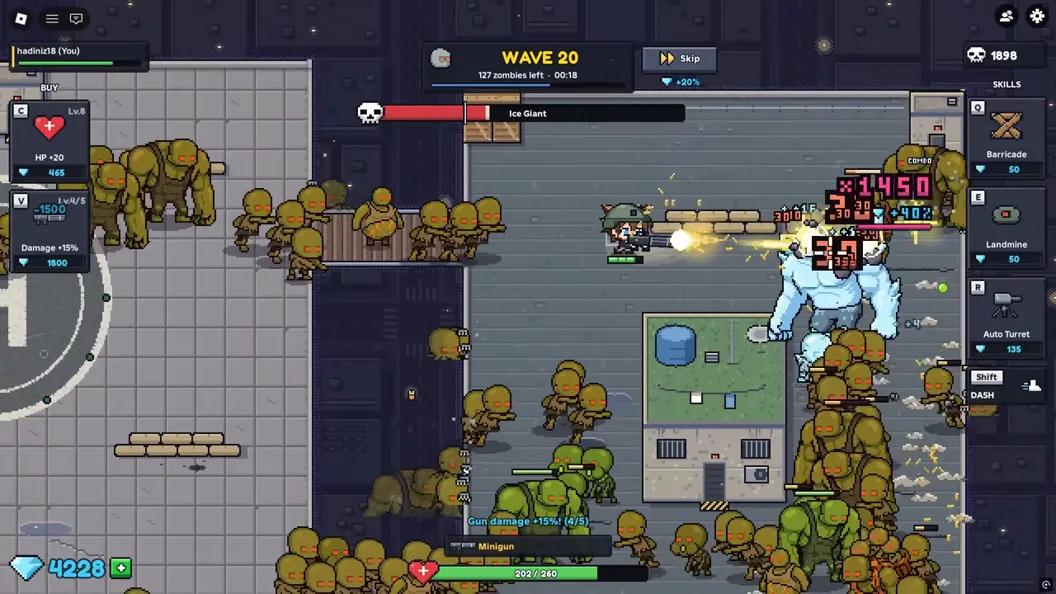
Reach wave 20 to unlock Hard mode and its Blood Moon bosses. The developer’s wording is “reach wave 20.” Watch for 20 on the wave counter.
- Start a Normal run from the New Squad panel.
- Survive until the counter reaches wave 20.
- After the current run ends, return to camp and open New Squad.
- Check the Hard button next to Normal and select it before creating the next squad.
Surviving Wave 10 and Wave 20 Normal Route Bosses
The recorded Normal Rooftops run shows a “Giant appears!” banner on wave 10 and a large blue enemy with a separate health bar on wave 20. These are examples from the run that leads to the unlock.
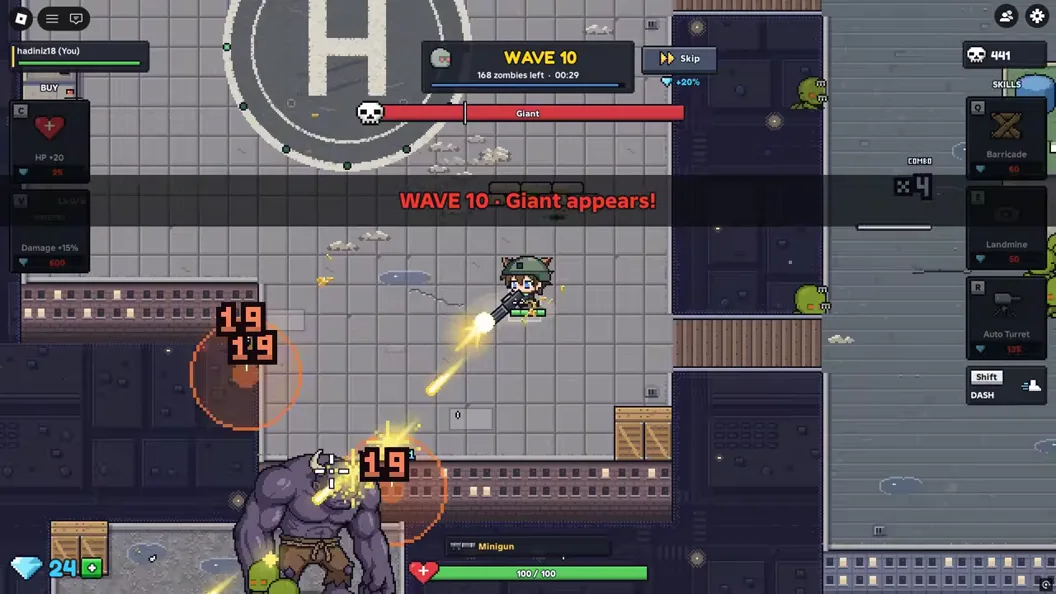
Before the counter reaches one of those waves, use a clear moment to check the cost of a stronger gun or turret. Position so you can still move when a large enemy fills part of the screen. If your route closes, move before you resume firing or spend more diamonds.
Preparing for Hard Mode and Blood Moon Bosses
Look beside the wave counter for the Blood Moon badge in a Hard run. In the reviewed recording, wave 70 had the badge, a red-tinted arena and a boss health bar. The same recording showed another Blood Moon badge at wave 100. The Normal wave 20 recording had a boss bar, so check the badge to identify a Blood Moon.
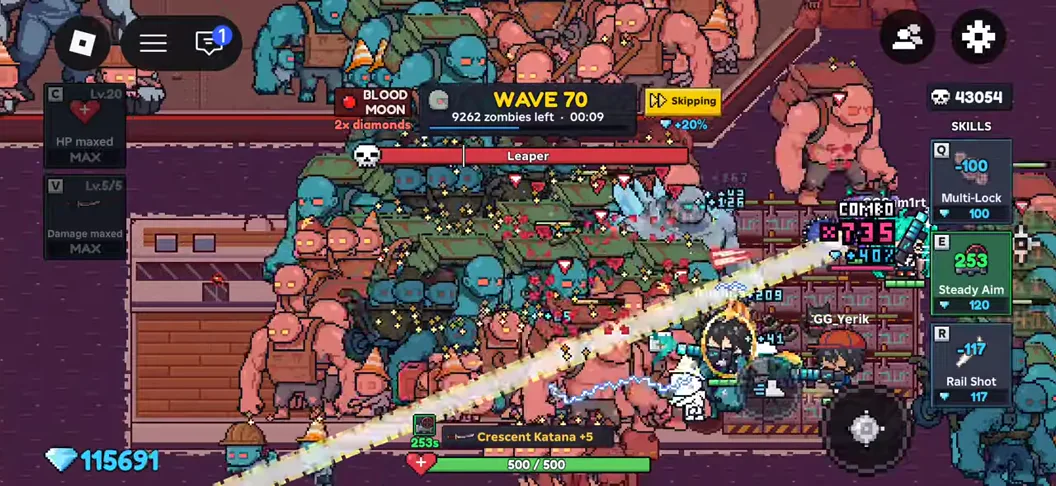
Before a Hard run, agree where to defend and which route to take if the position gets crowded. When the badge appears, check where the squad can move without cutting across a teammate’s firing lane. The two observed waves leave the complete Blood Moon schedule unconfirmed.