Maps & Rooftop Routes
Choose Rooftops, Cargo Ship or Subway from the map carousel in New Squad. On Rooftops, spot a second crossing before zombies crowd your first route.
Selecting Maps in the New Squad Panel
The Roblox listing names Rooftops, Cargo Ship and Subway. In New Squad, use the left and right arrows beside the map preview to browse, then set difficulty and squad size before creating the room.
Keep the same map for your first attempts if you are comparing an upgrade. Once you can find a safe crossing without stopping to look, change maps to practice reading a different layout.
Navigating the Rooftops Arena and Narrow Connectors
Rooftops has a marked helipad, sandbags and narrow wooden passages connecting roof sections. The open helipad gives you room to change direction. A long line of zombies can fill a passage while you are still shooting from the opposite roof.
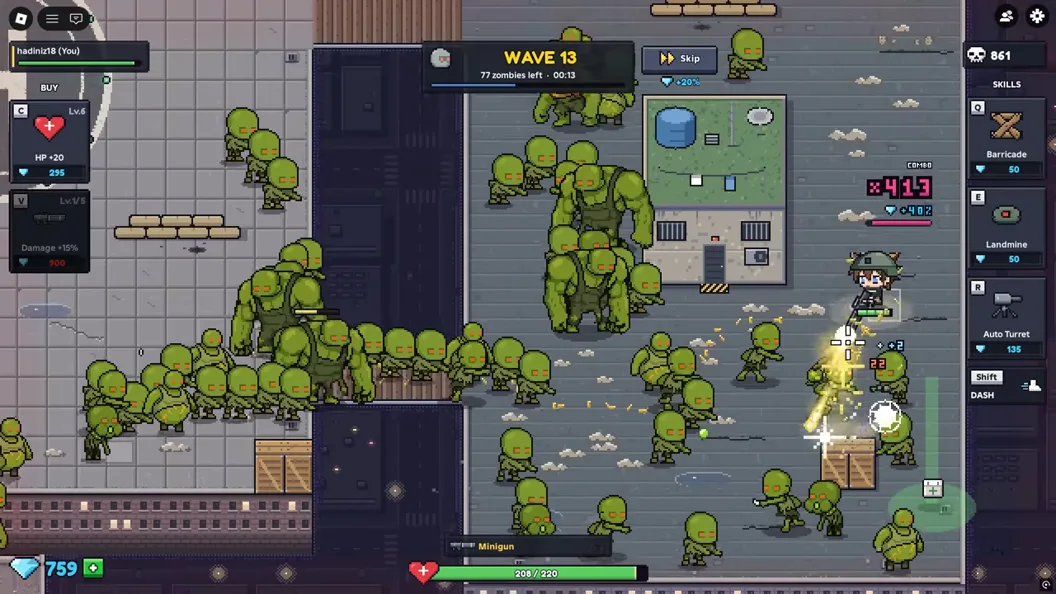
- Find the closest crossing and an alternate route while the first wave is quiet.
- Use the wider space to turn while the path behind you remains clear.
- If the first crossing fills up, move toward a clear approach instead of trying to force past the line of zombies.
Choosing Your First Map and Exploring New Arenas
Check how the connections change when you leave Rooftops. In the ship-deck recording, the narrow route near the edge is more crowded than the open helipad in the Rooftops run. Compare the visible approaches before choosing where your squad will defend.
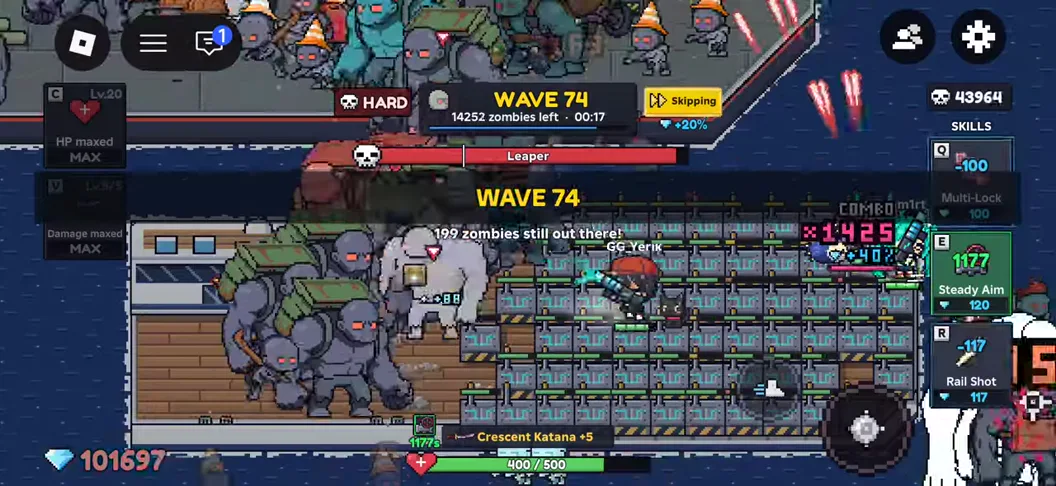
On an unfamiliar map, use the opening wave to find two ways out of the place where you plan to fight. If only one route is visible, choose a more open position before spending diamonds on a fixed turret. Detailed Subway routes and map-specific unlock requirements remain unverified.