Weapons & Diamond Upgrades
Use the Guns panel for your camp loadout. During a wave run, use diamonds to strengthen your weapon or deploy a turret.
Managing Loadouts in the Camp Guns Panel
Open Guns in camp between runs. The recorded panel shows loadout slots across the top and a stat panel for the selected weapon. Select the Revolver or another visible entry to read its displayed stats before deciding what fits the slot.
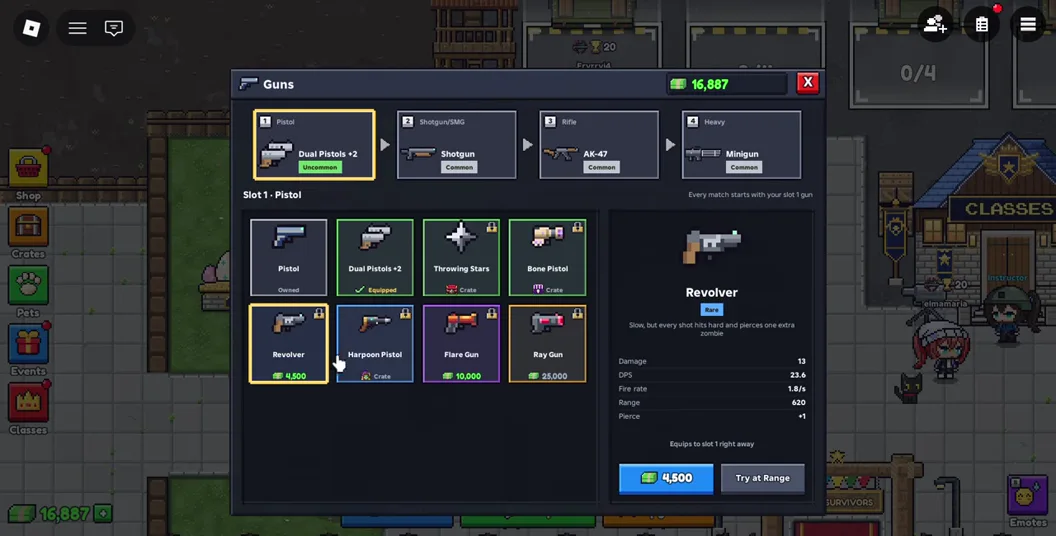
If you keep running out of room, compare how comfortably you can use the gun while moving. If the problem is a particular group of enemies taking too long to clear, compare the visible damage and other listed stats against the gun you already bring. Check the current cost in the panel before spending.
Using the Persistent Upgrades Menu
Open Upgrades in camp and check the Weapons and Skills tabs. Selecting a skill such as Multi-Lock displays its current details and the cost shown for that upgrade. Read these fields before pressing Upgrade.
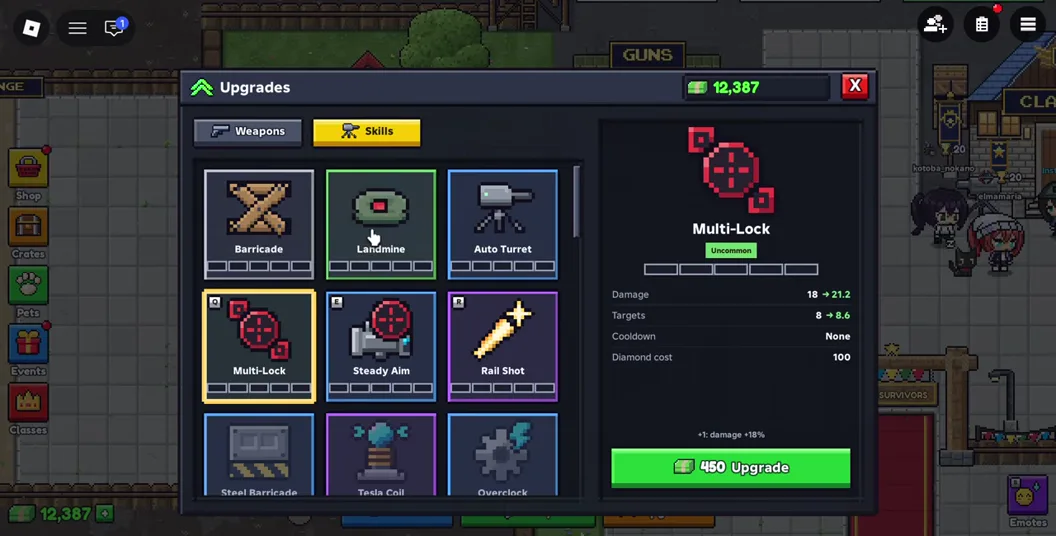
Make camp changes after the run and compare the next few waves on the same map and difficulty. That gives you a clearer comparison of your loadout than replacing the gun and changing the arena at the same time.
Spending Diamonds on Stronger Weapons and Turrets in a Run
Pick up diamonds during a run to buy a stronger gun or deploy a turret. The recorded rooftop HUD shows the diamond balance, upgrade panel and a green placement marker. Check both the cost and the space around the marker before committing.
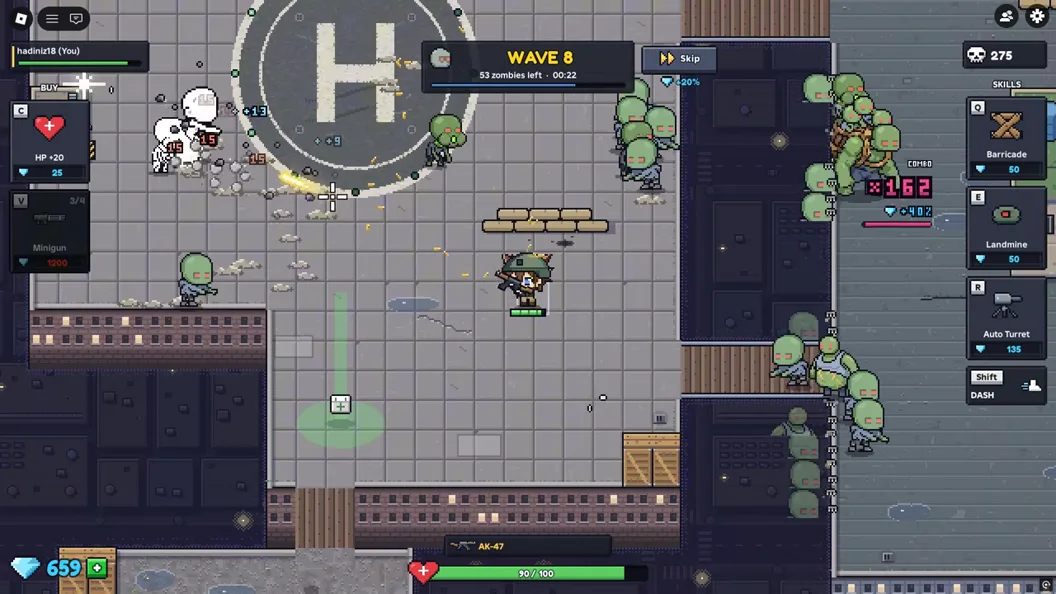
- If you keep moving because the crowd reaches you, look first at a better handheld weapon.
- Consider a turret when your squad can stay near a lane long enough to use it. Keep a second route open before you turn to face the crowd.
- If a crowd has already crossed your defense line, move to a clear area first. Check for another placement opportunity when your team has room.